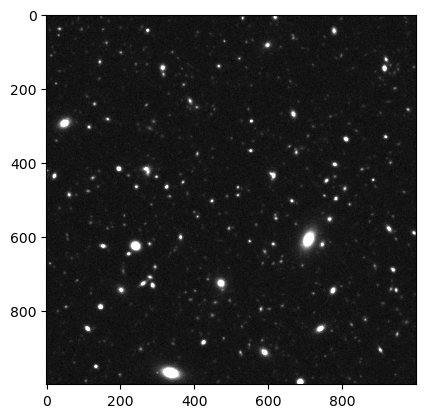
Simulating an astronomical image
Running a realistic image simulation to compare with actual data (as it
is done while constraining the galaxy population) requires a lot of work
to correctly model the background and PSF for all real images. We give
an example how to generate a simple image with constant PSF and
background level. Note that the location of the image is not defined via
a healpy map anymore but by defining the center of the image, the pixel
scale and the number of pixels. We choose values for the image
systematics that are representative for HSC deep fields. The same code can
be run for the phenomenological and the stellar population synthesis-based versions
of GalSBI by replacing Fischbacher+24 with Tortorelli+25 in the model definition.
model = GalSBI("Fischbacher+24")
model(mode="image")
The image is save under
{file_name}_{model_index}_{band}_image.fits but can also be
loaded using load_images directly
from astropy.visualization import ImageNormalize, LogStretch
from astropy.visualization.mpl_normalize import ImageNormalize
from astropy.visualization import ZScaleInterval, PercentileInterval
import matplotlib.pyplot as plt

images = model.load_images()
image = images["image i"]

interval = PercentileInterval(95)
vmin, vmax = interval.get_limits(image)
norm = ImageNormalize(vmin=vmin, vmax=vmax)

plt.imshow(image, cmap='gray', norm=norm)